
Dreamztech 课程
游览我们的所有课程,包括按主题分类的课程,以找到适合您的学习方法!
Setup Email in Outlook (2025)
1. Open Outlook, if don't have download it from Microsoft Store or Apple App Store
Link for Windows:
https://www.microsoft.com/en-us/microsoft-365/outlook/outlook-for-windows
Link for MacOS:
https://www.microsoft.com/en-us/microsoft-365/outlook/outlook-for-mac
2. Add Account

3. Enter your email address
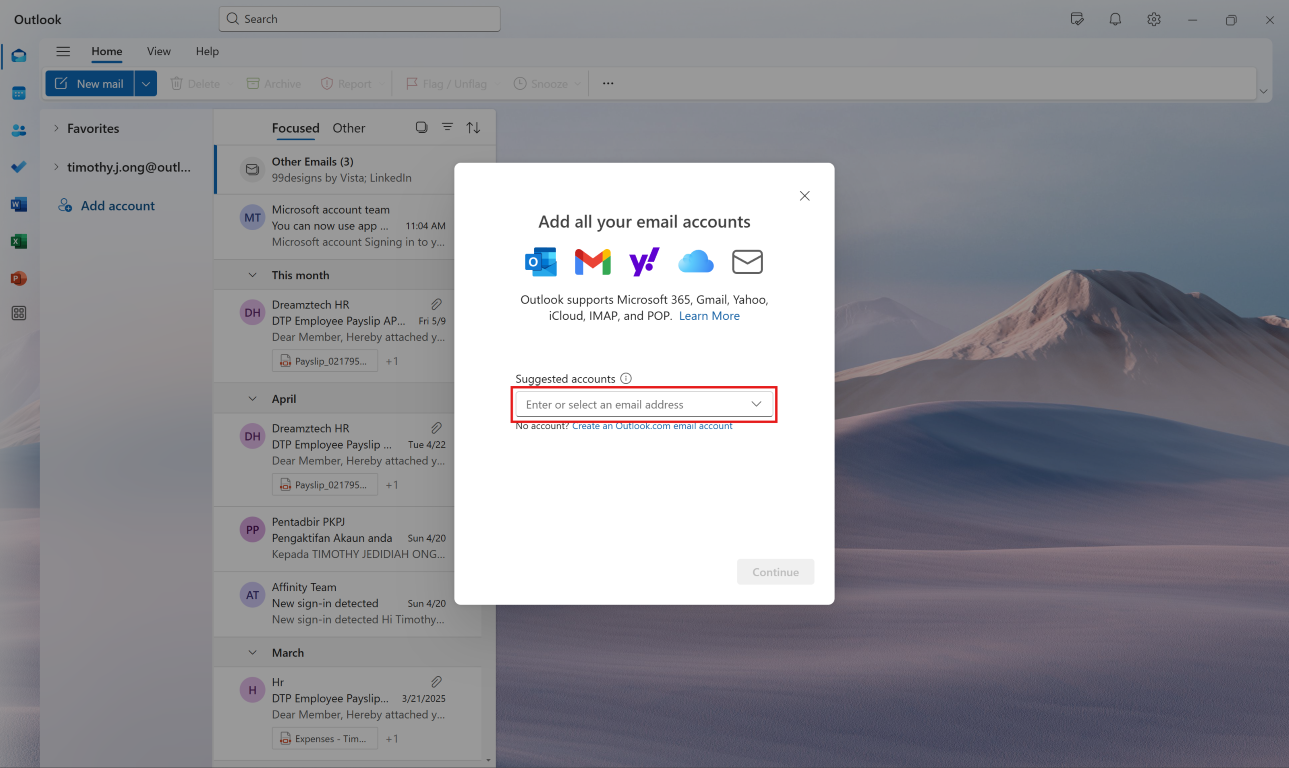
3.1 (Optional - If not applicable, can skip to Step 4)
If you see it mentioned "Sync your Gmail account", press cancel

3.2 (Optional - If not applicable, can skip to Step 4)
Then it will show more settings, here, click "Advanced Setup"
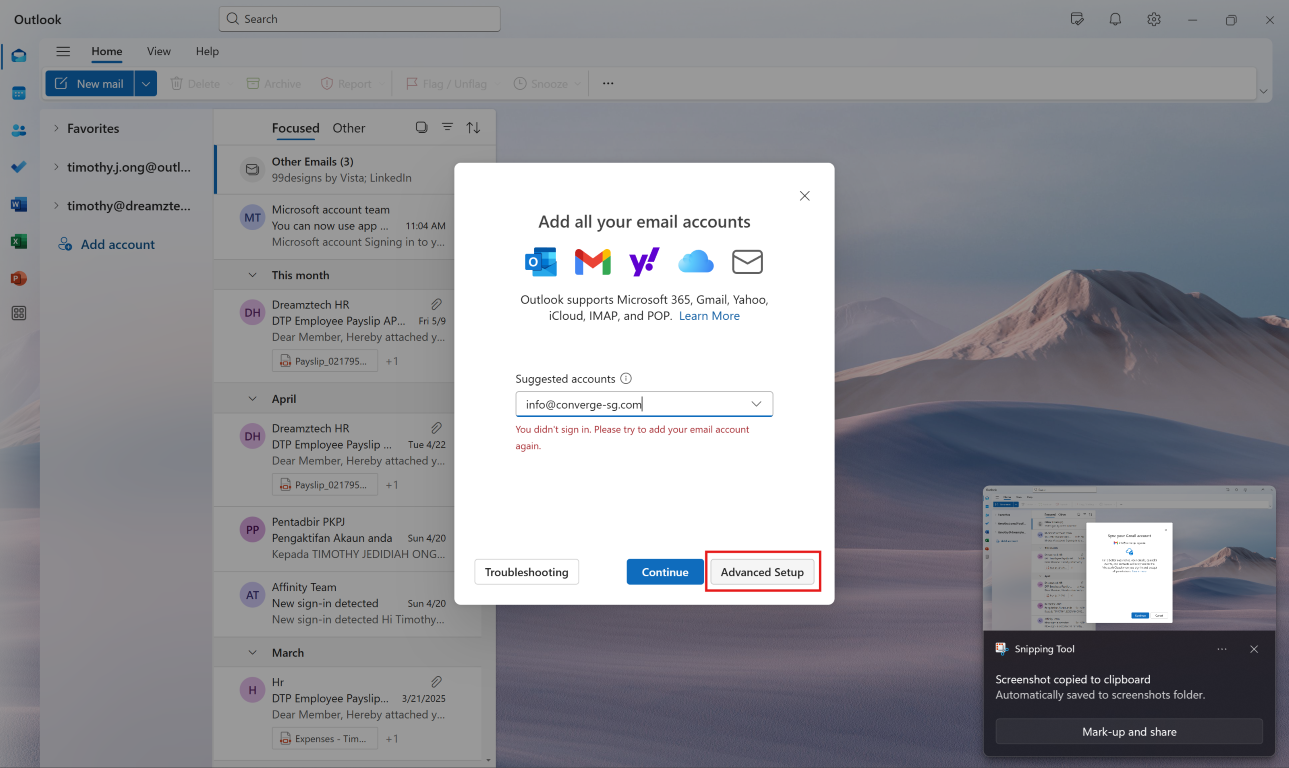
3.3 (Optional - If not applicable, can skip to Step 4)
Choose "IMAP"
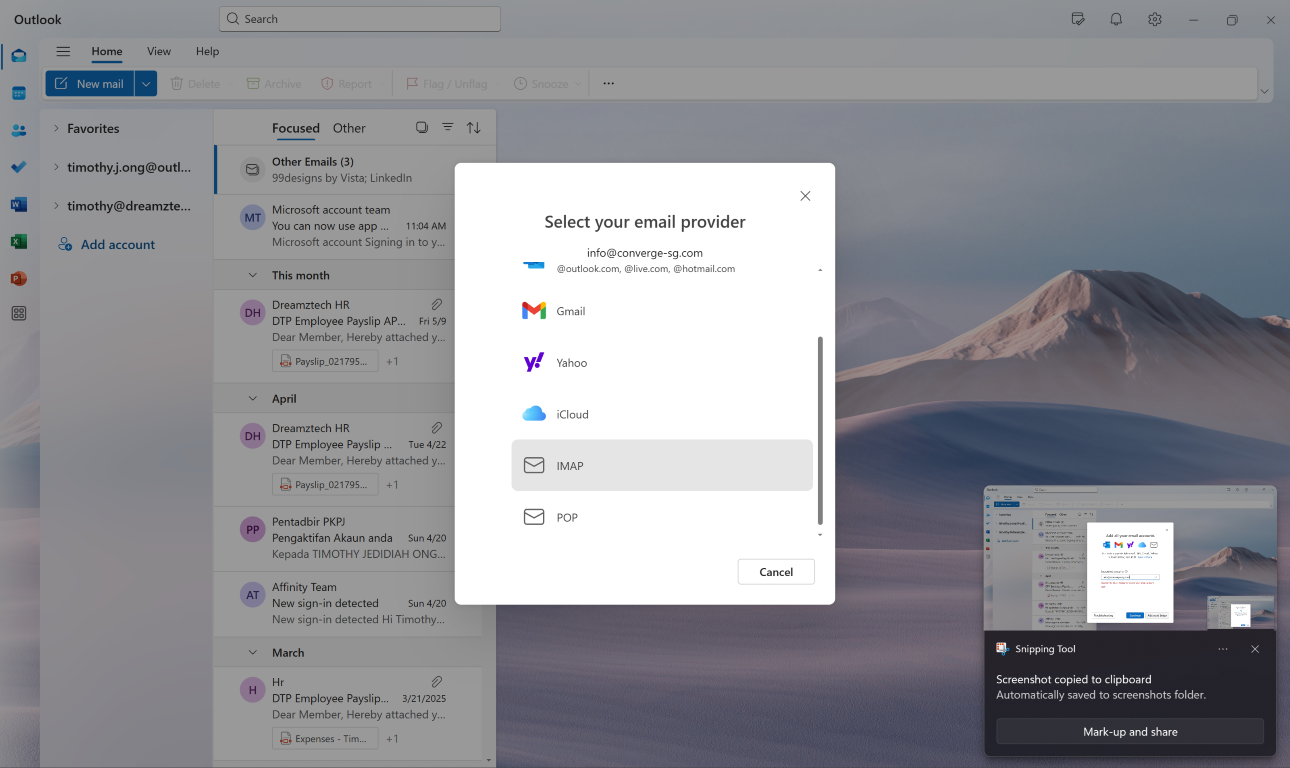
3.4 Then you can continue with step 4
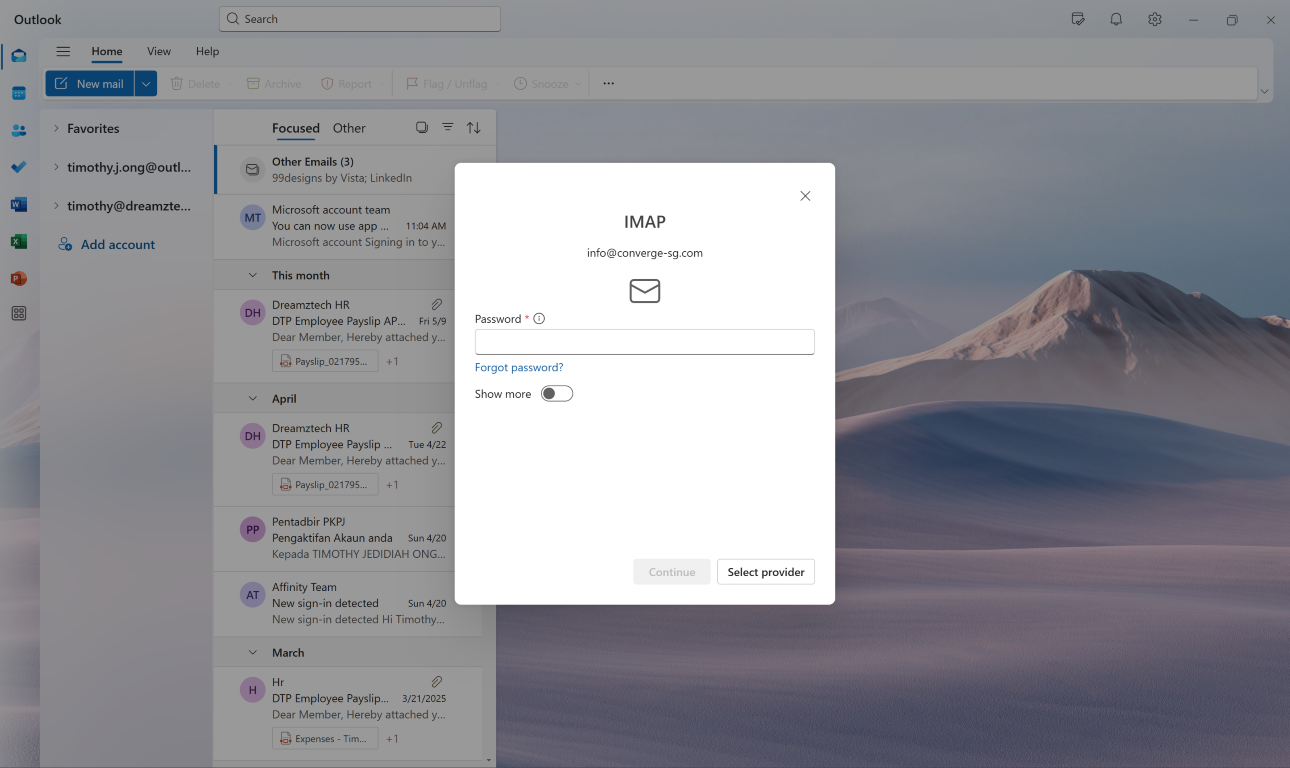
4. Enter your password, click on "Show More" and for "Use recommended settings" it is optional to on or off
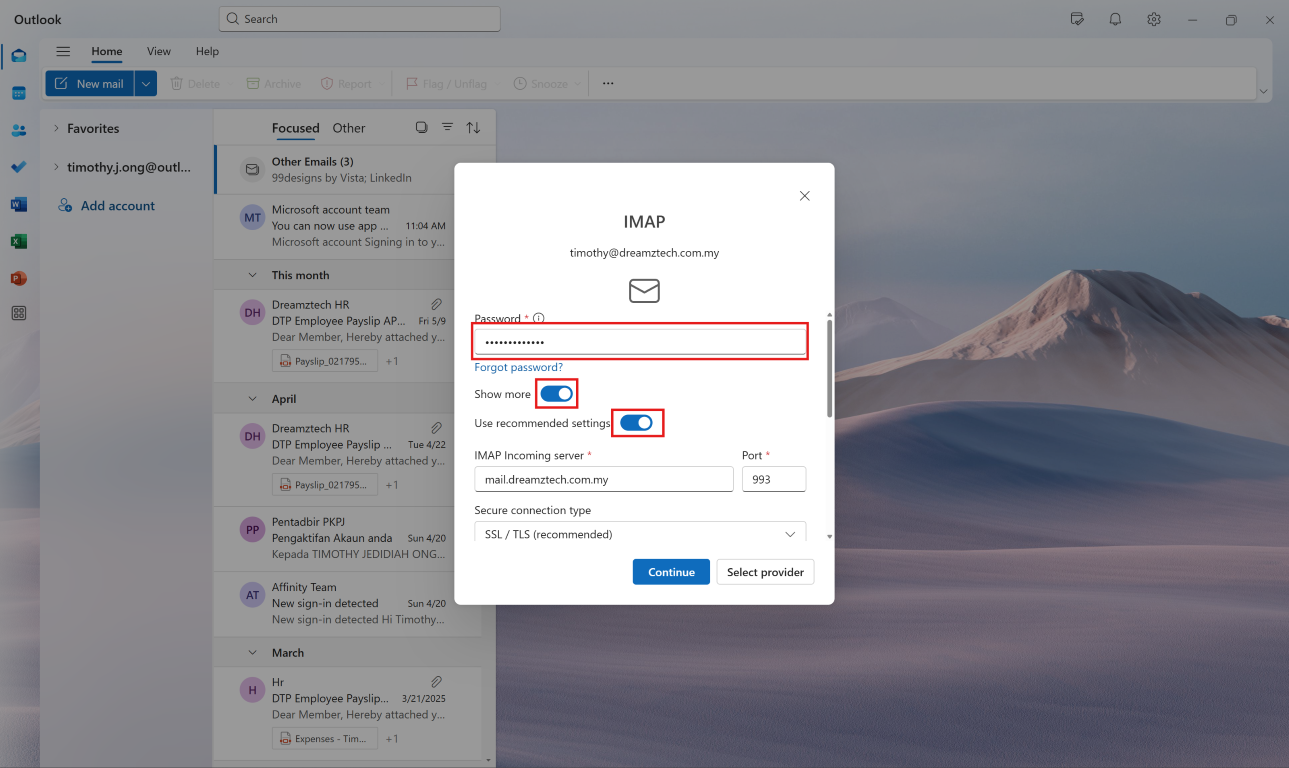
5. Enter the info for incoming server and port
- mail.domain.com (exp: mail.dreamztech.com.my)
- 993

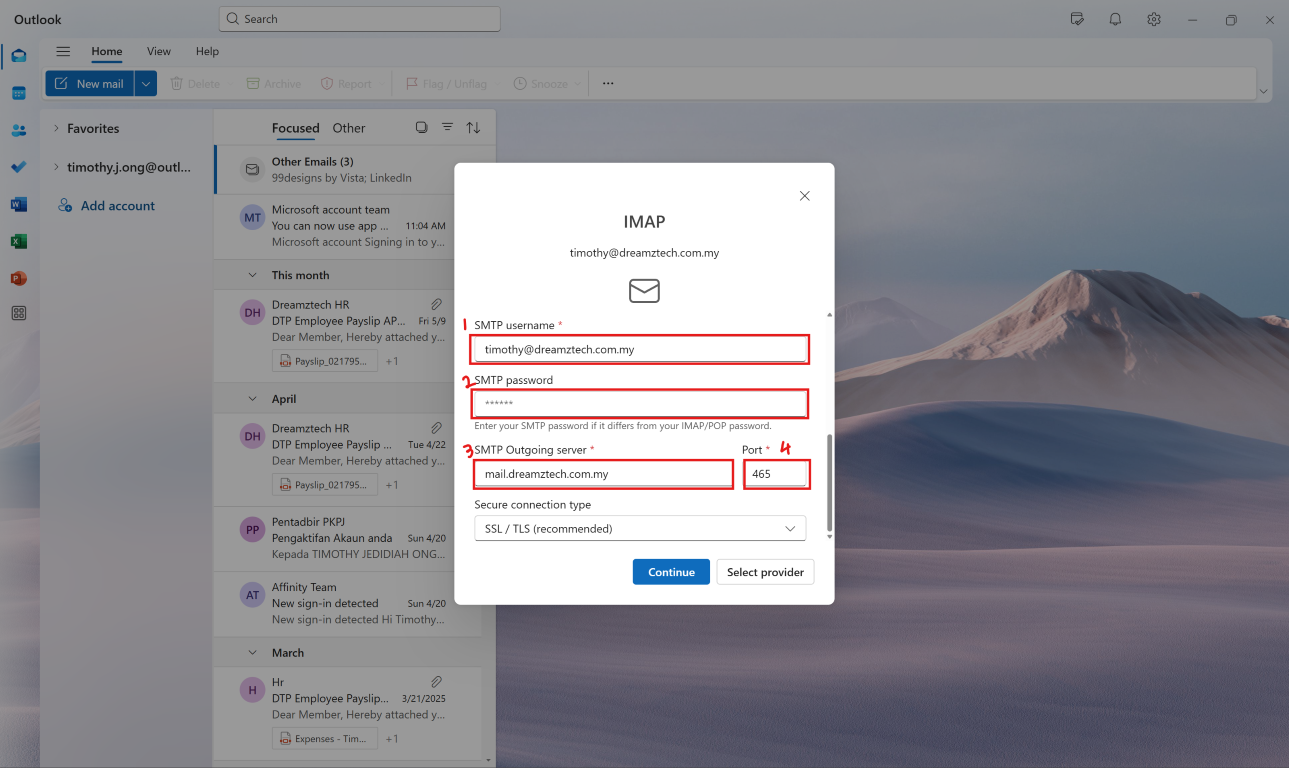
6. Then for SMTP and continue
- [your email]
- [your email password]
- mail.domain.com (exp: mail.dreamztech.com.my)
- 465
7. Make sure it show "Sync your IMAP account" then continue

8. Wait it to load
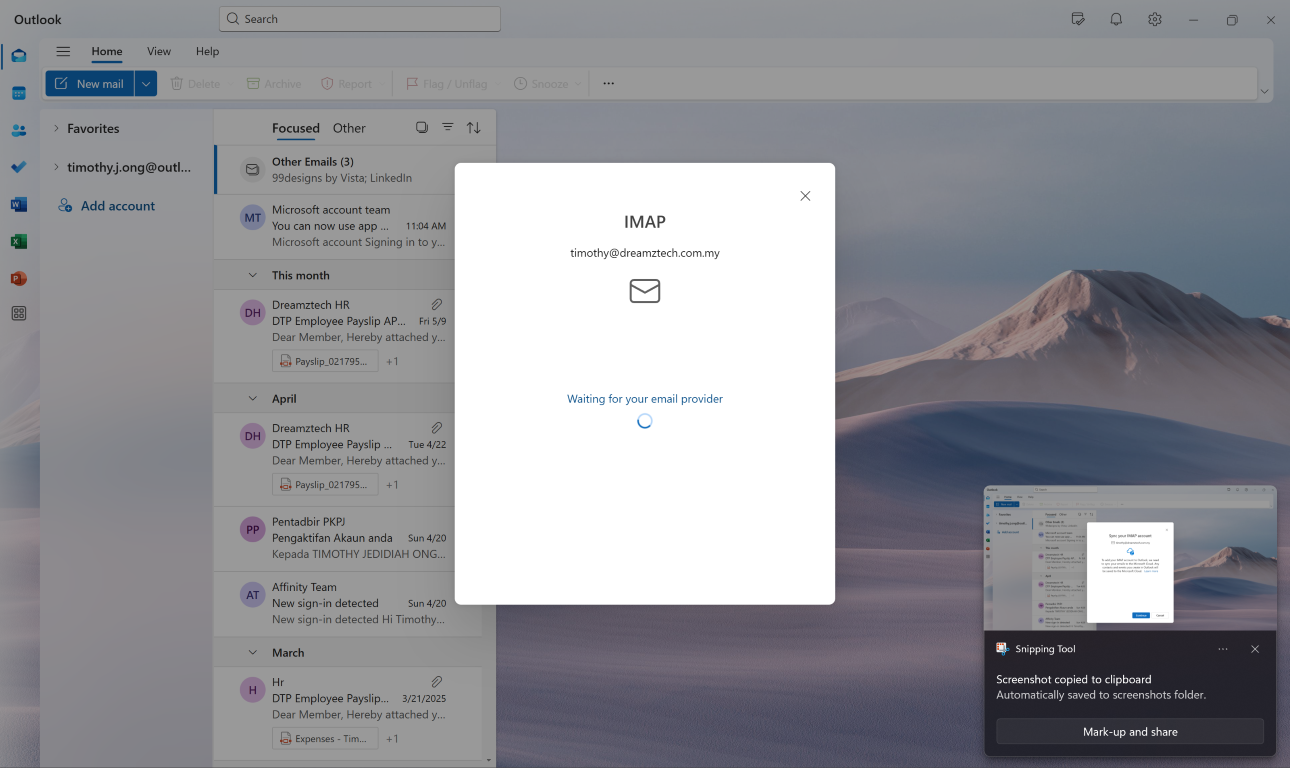
9. It's completed, then check if all emails are in the outlook

课程表
- Setup Email in Android (Outlook) 时长: 0
- How to Reset Email Password on Server (Cpanel) 时长: 00:00:51
- How to Reset Email Password on Server (Webmail) 时长: 00:00:53
- How To Create Email In Cpanel 时长: 00:01:08
- Setup Email in IOS (18.5) 时长: 0
- Setup Email in Outlook (2018) 时长: 0
- Setup Email in Thunderbird 时长: 0
- How To Add Forwarder Email At Cpanel 时长: 00:01:27
- How To Add Signature Email At Webmail 时长: 0
- How To Set Auto Reply At Cpanel 时长: 00:01:22
- Setup Email in Outlook (2025) 时长:
- How To Add Forwarder Email At DirectAdmin 时长:
- How To Create Email In DirectAdmin 时长: