
Dreamztech 课程
游览我们的所有课程,包括按主题分类的课程,以找到适合您的学习方法!

Setup Email in IOS (18.5)
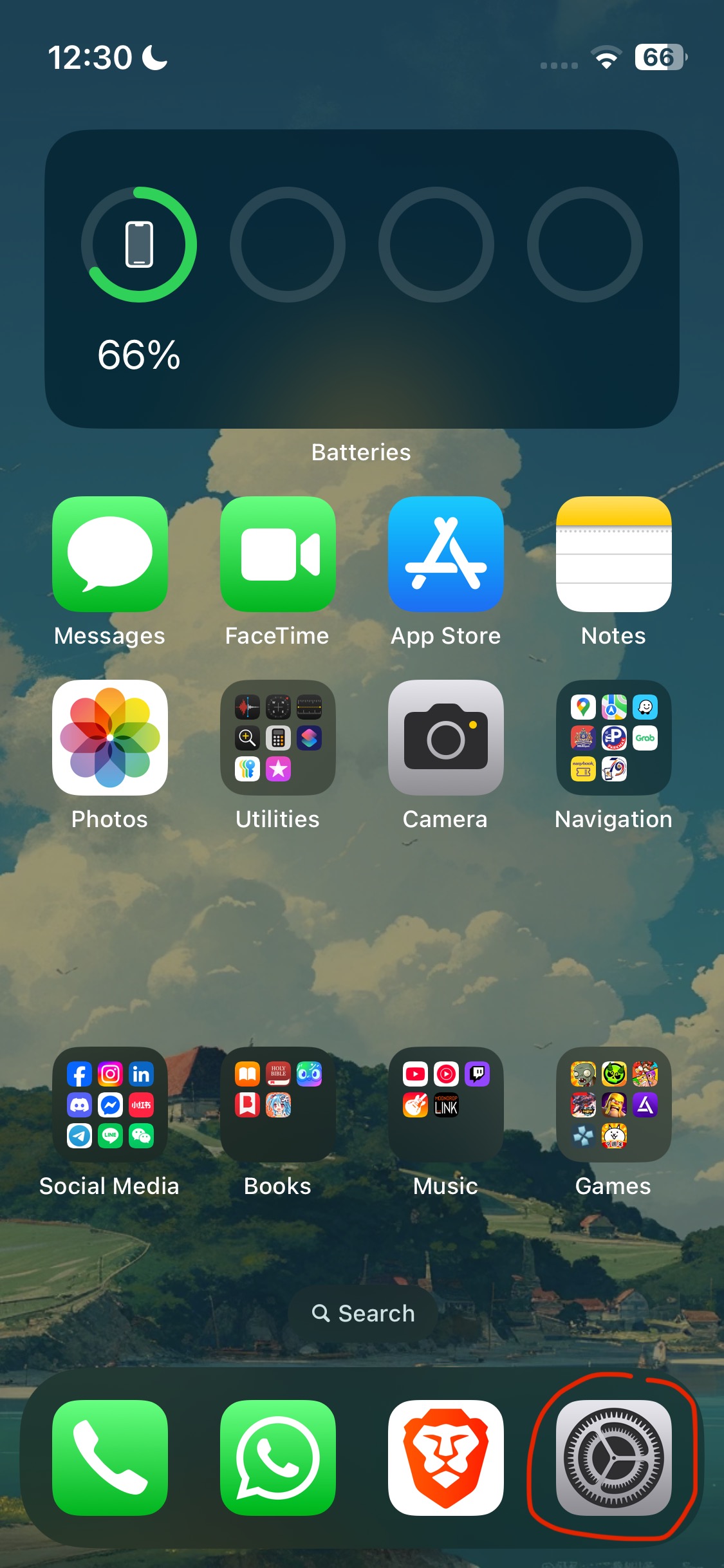
1. Open Settings
2. Search for "Mail"
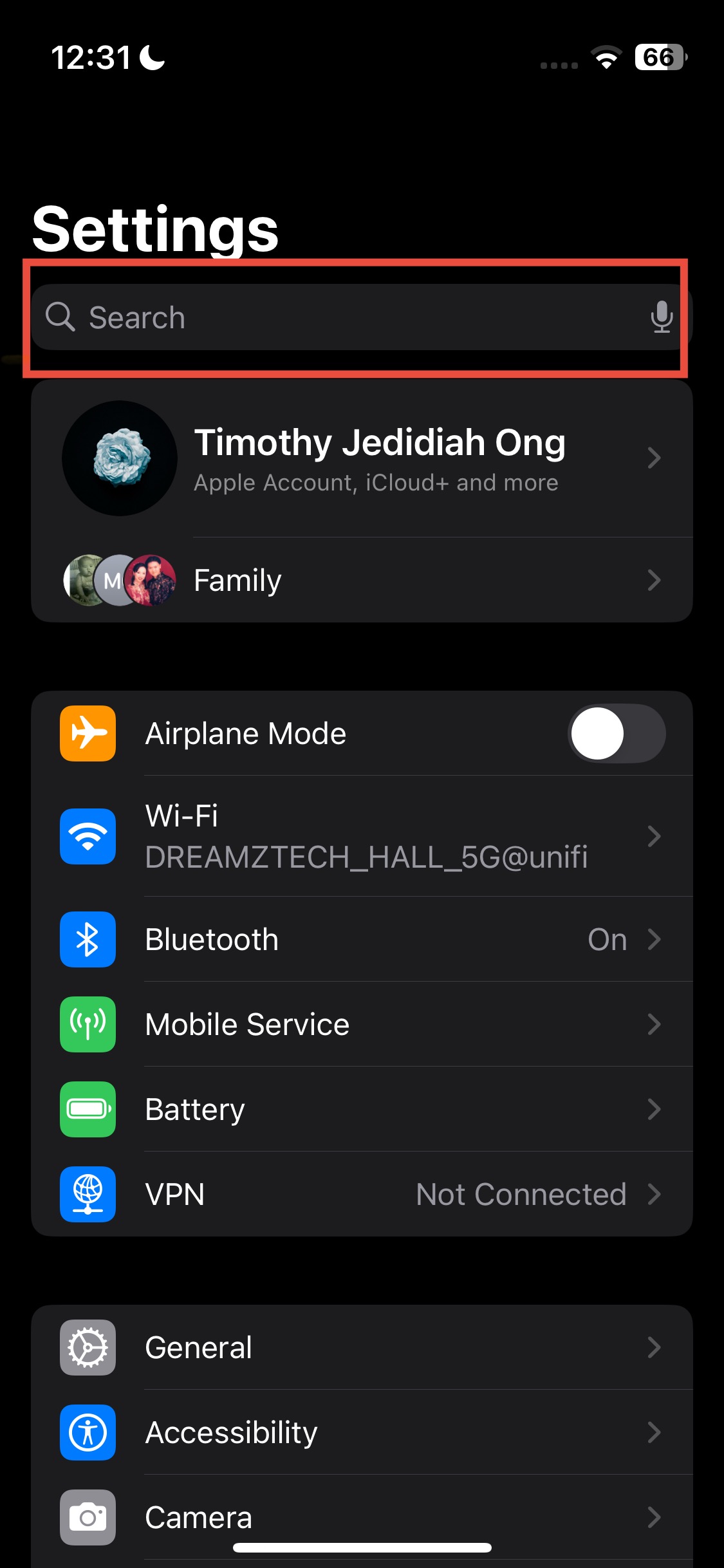
3. Search and select "Mail"

4. Mail Accounts
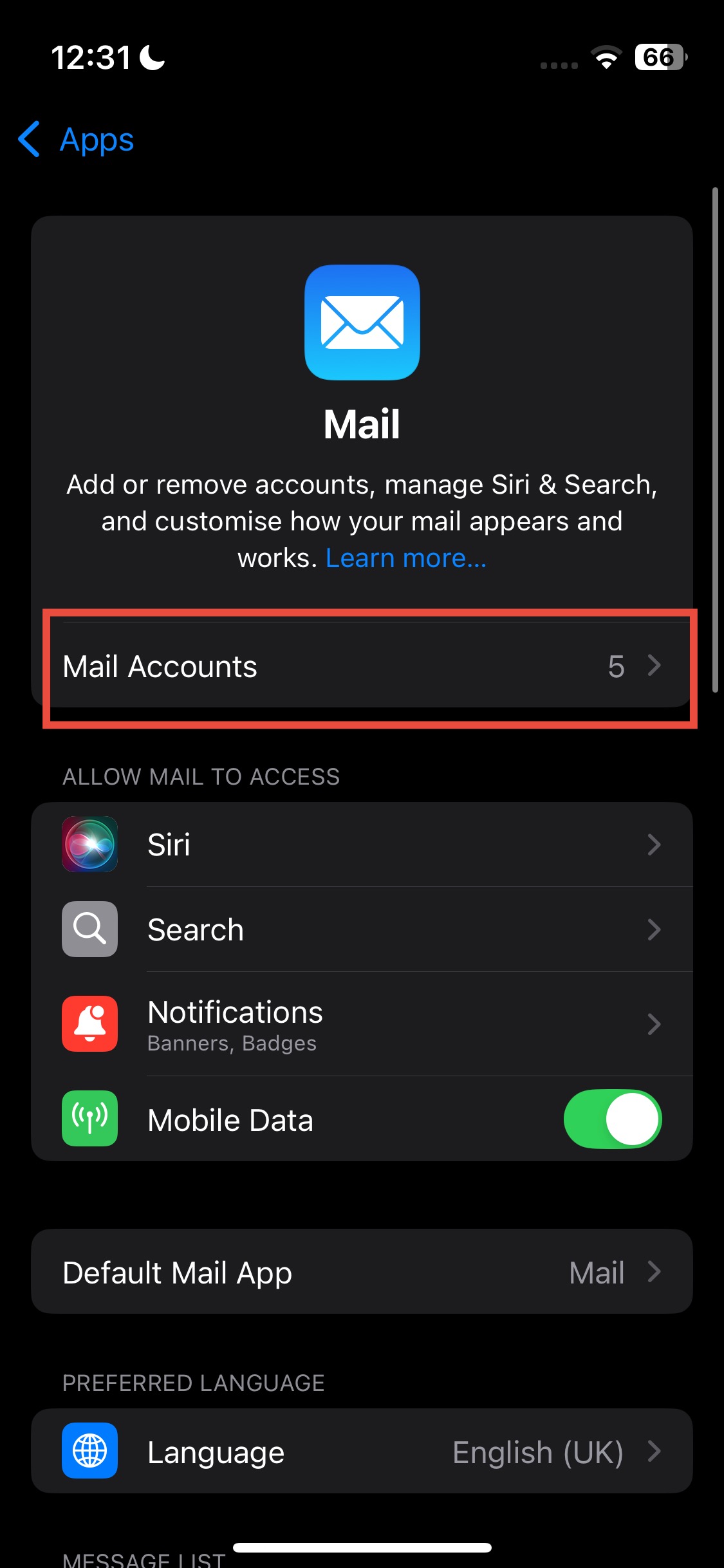
5. Add Accounts
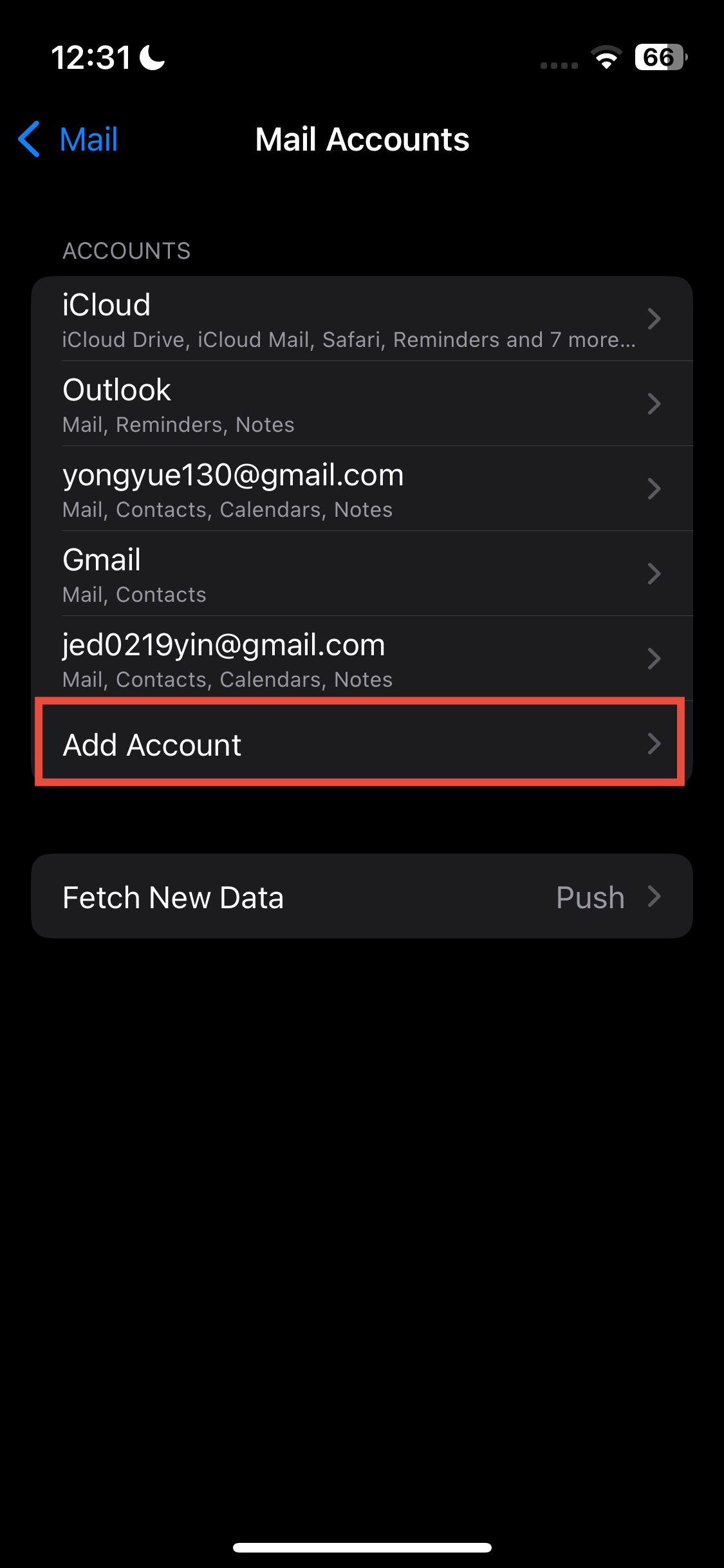
6. Choose "Other"
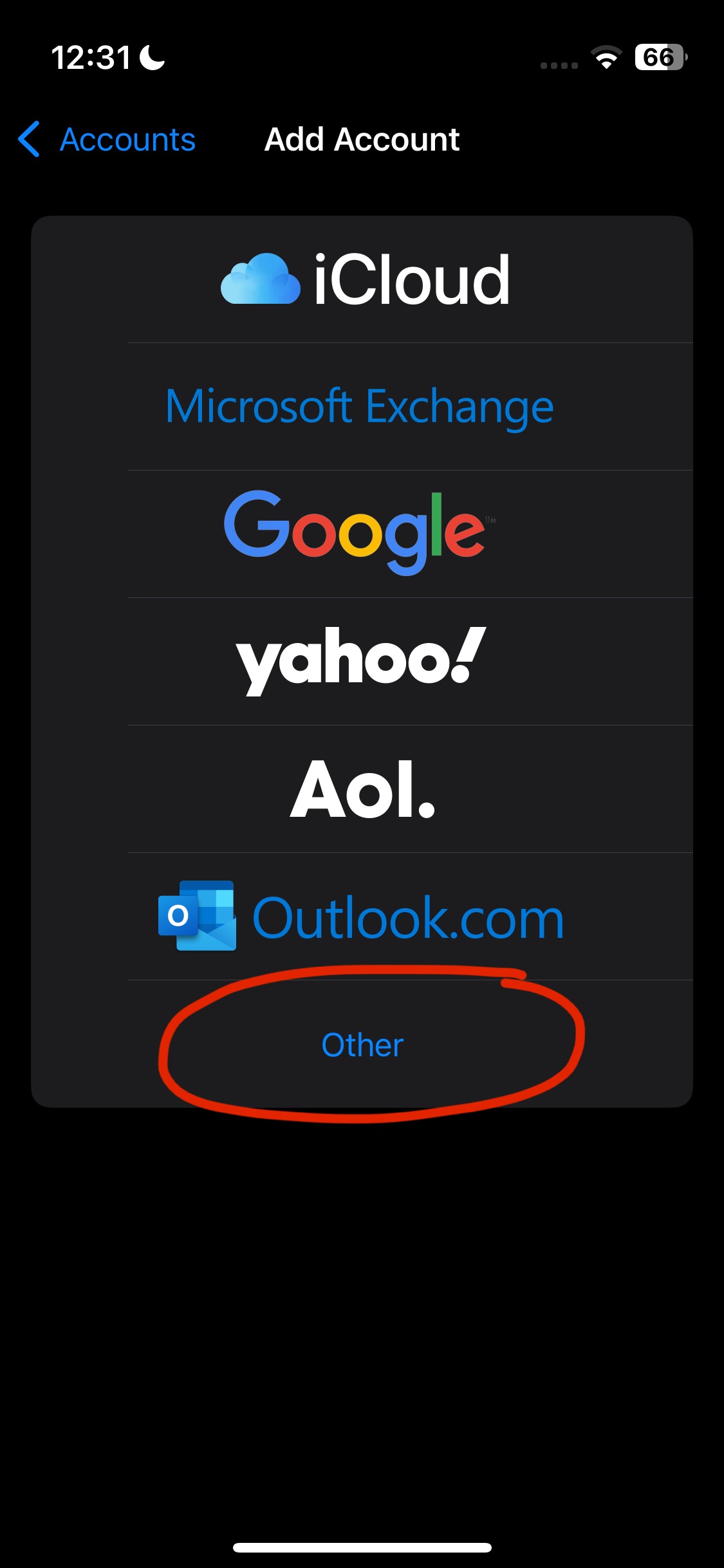
7. Choose "Add Mail Account"

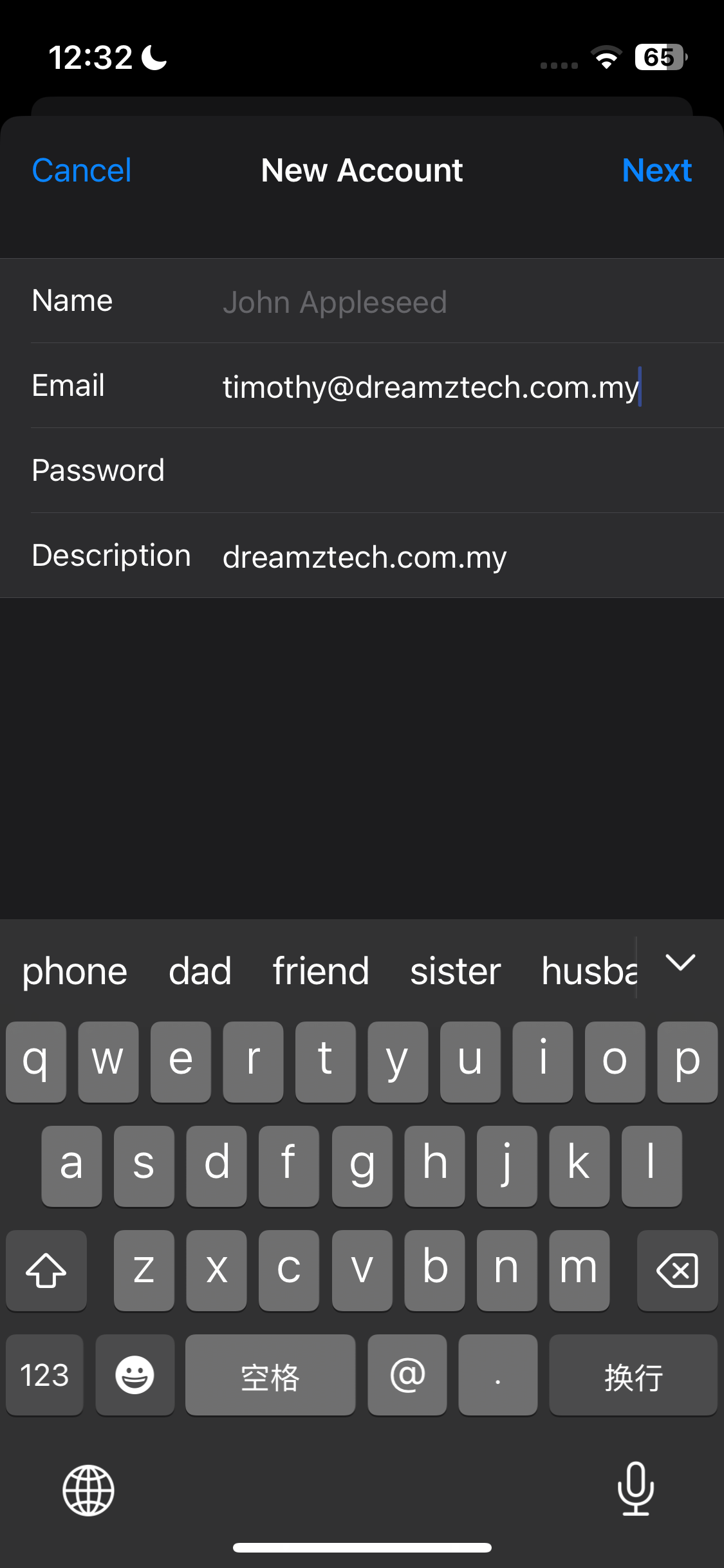
8. Enter your email and next
- Name: (optional)
- Email: [your email]
- Password: [your email password]
- Description: (optional)
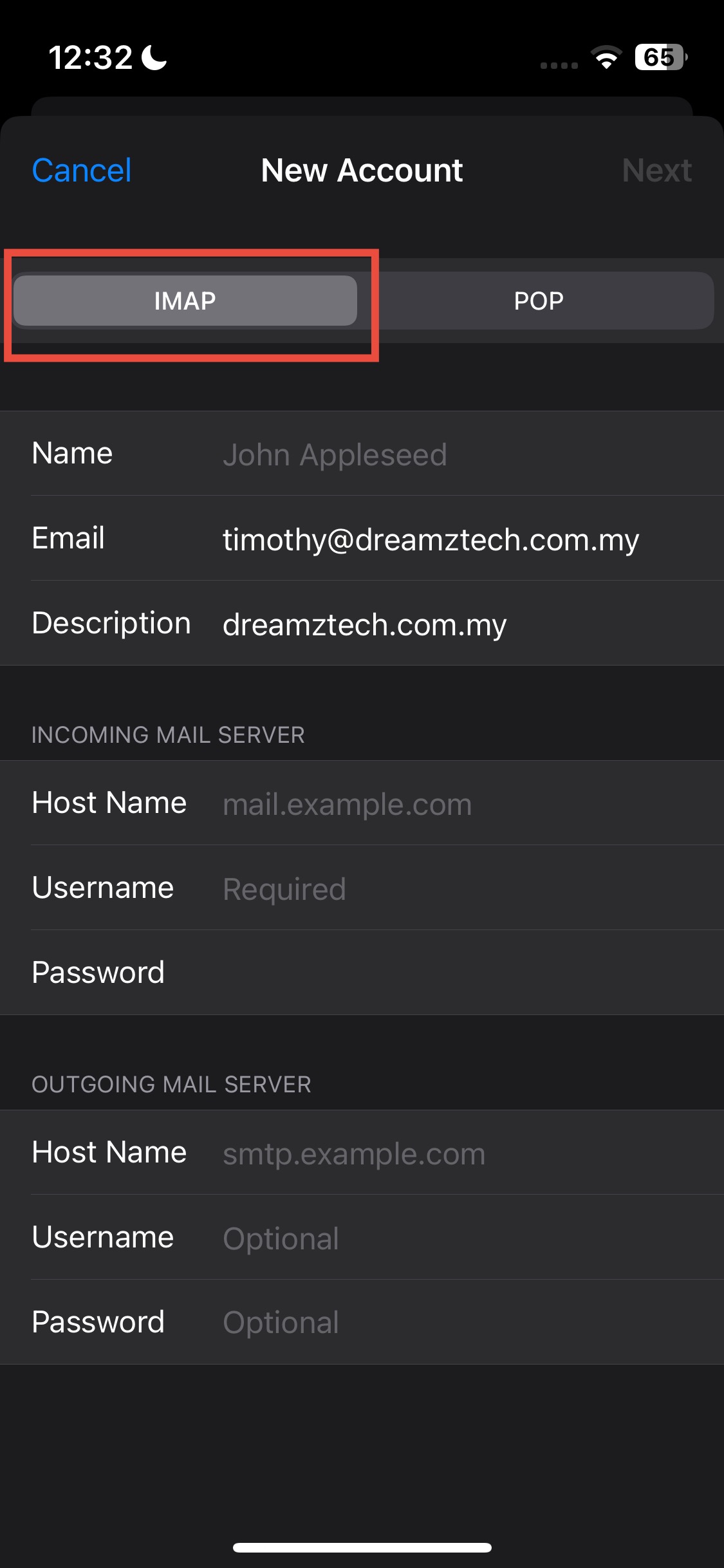
9. Make sure it is on "IMAP" and then enter the information
- Host Name: mail.domain.com (example: mail.dreamztech.com.my)
- Username: [Your Email]
- Password: [Your Email Password]
- Host Name: mail.domain.com (example: mail.dreamztech.com.my)
- Username: [Your Email]
- Password: [Your Email Password]
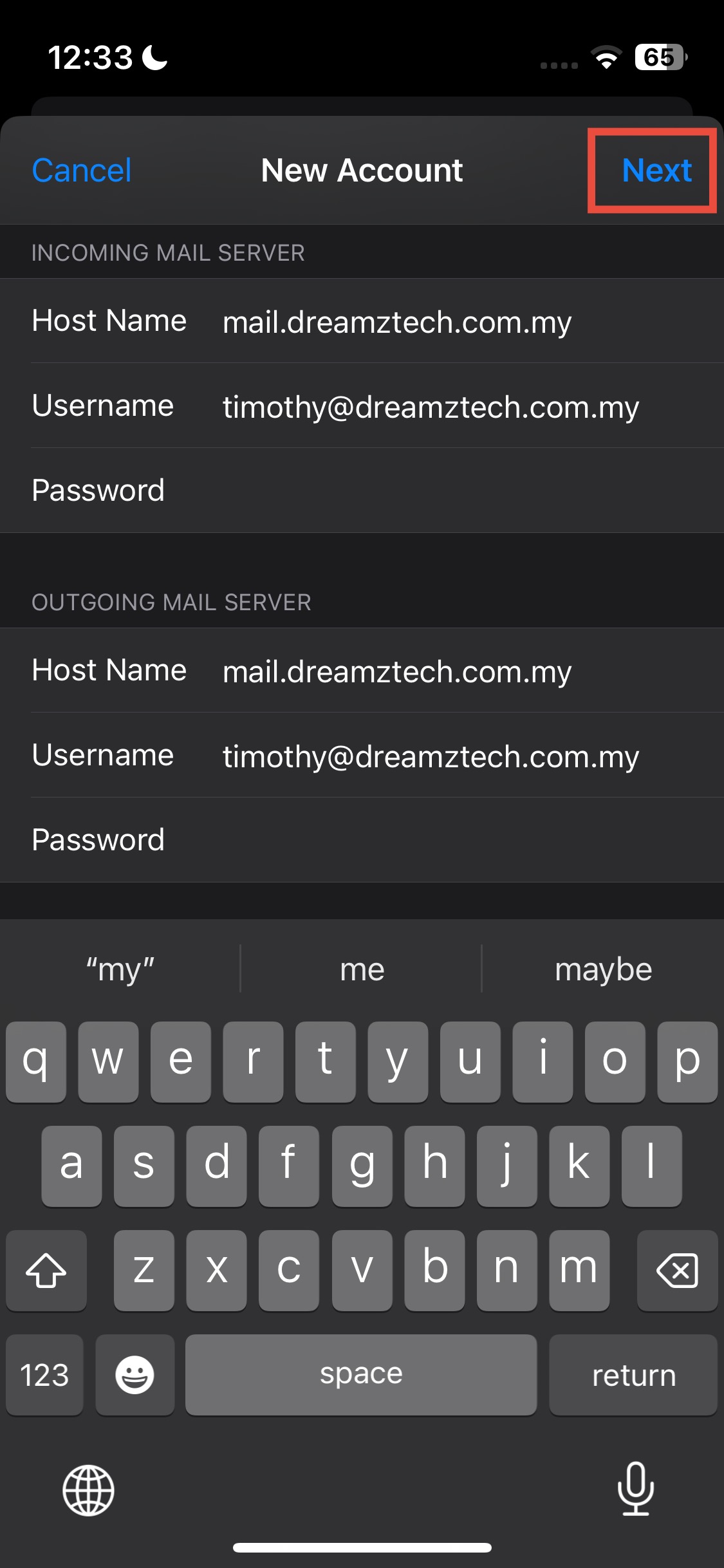
10. Example, and after filled in, "Next"
11. Make sue "Mail" is turned on and Save
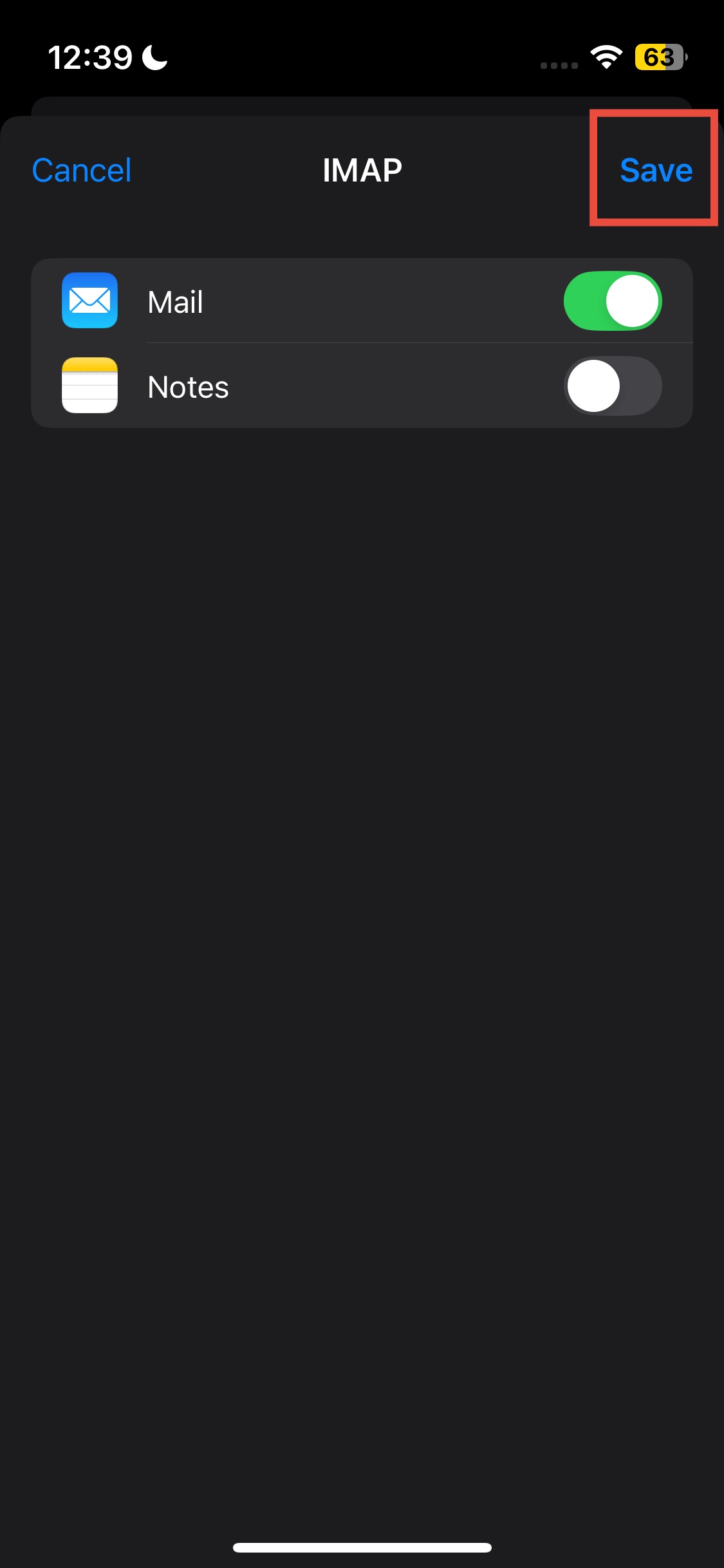
12. Go to "Mail" app to check if all emails are inside
课程表
- Setup Email in Android (Outlook) 时长: 0
- How to Reset Email Password on Server (Cpanel) 时长: 00:00:51
- How to Reset Email Password on Server (Webmail) 时长: 00:00:53
- How To Create Email In Cpanel 时长: 00:01:08
- Setup Email in IOS (18.5) 时长: 0
- Setup Email in Outlook (2018) 时长: 0
- Setup Email in Thunderbird 时长: 0
- How To Add Forwarder Email At Cpanel 时长: 00:01:27
- How To Add Signature Email At Webmail 时长: 0
- How To Set Auto Reply At Cpanel 时长: 00:01:22
- Setup Email in Outlook (2025) 时长:
- How To Add Forwarder Email At DirectAdmin 时长:
- How To Create Email In DirectAdmin 时长: