
Dreamztech 课程
游览我们的所有课程,包括按主题分类的课程,以找到适合您的学习方法!
Lesson 27 - How To Edit Footer
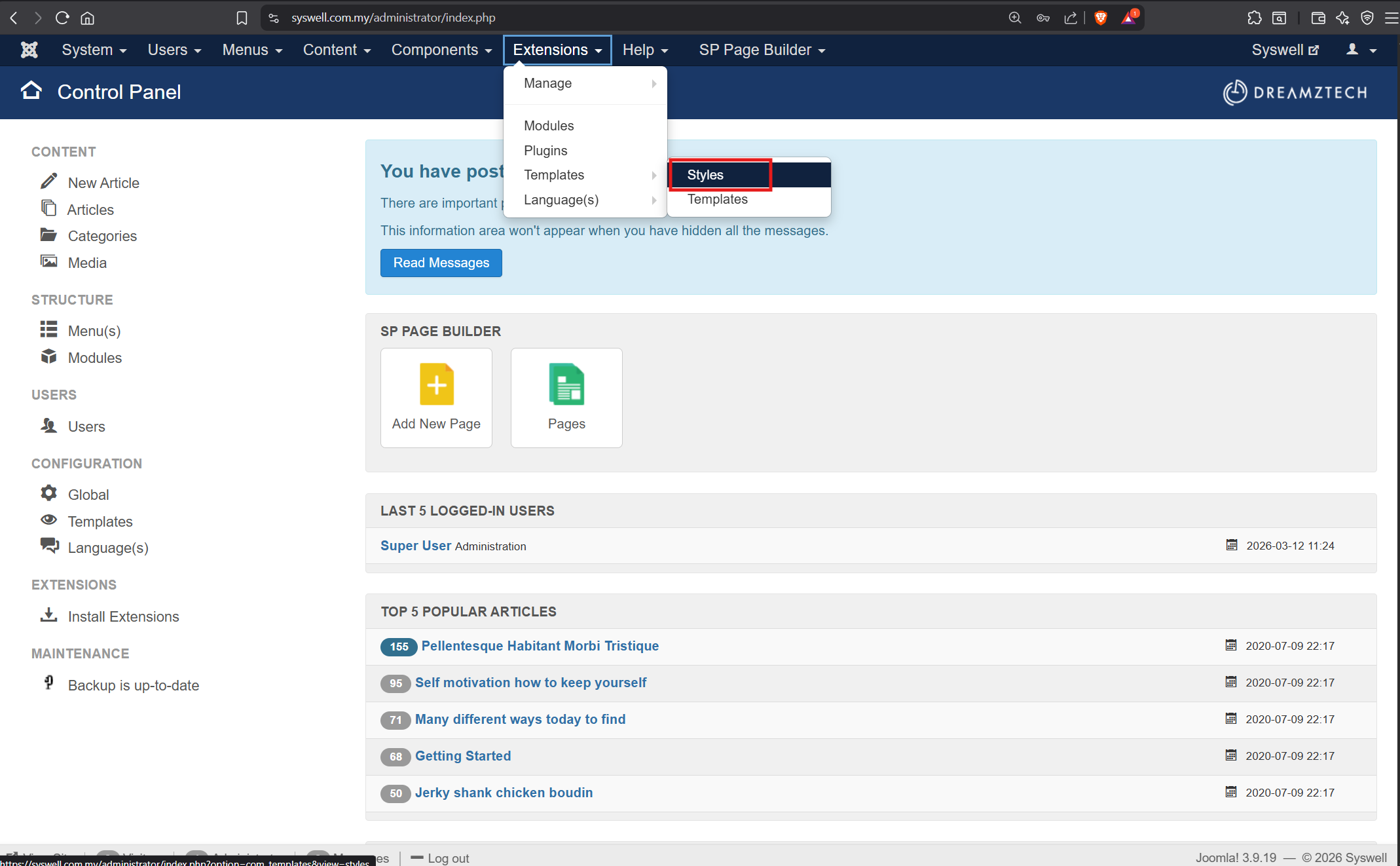
1. Login Backend, go to Extensions > Templates > Styles
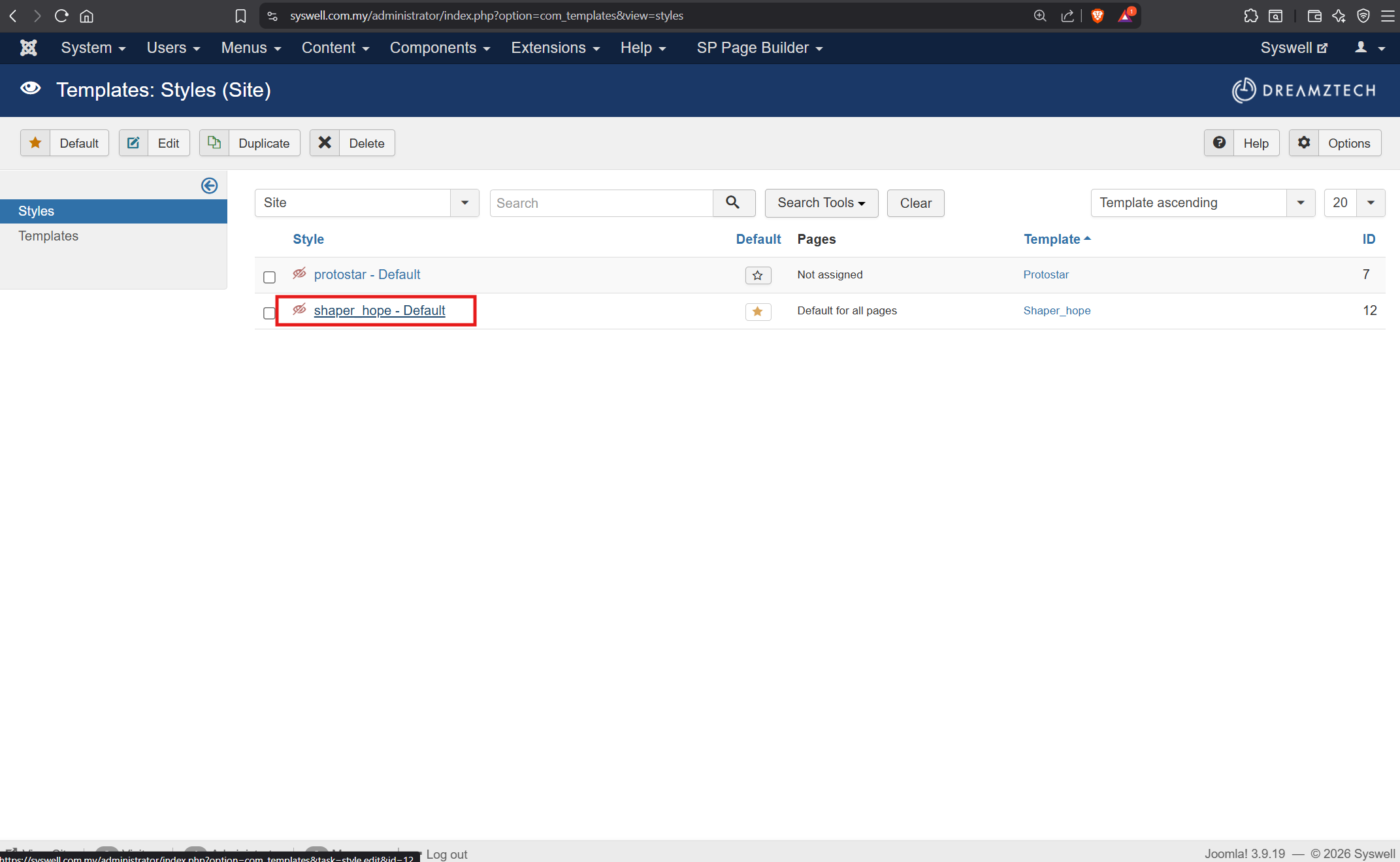
2. Go into shaper_hope - Default
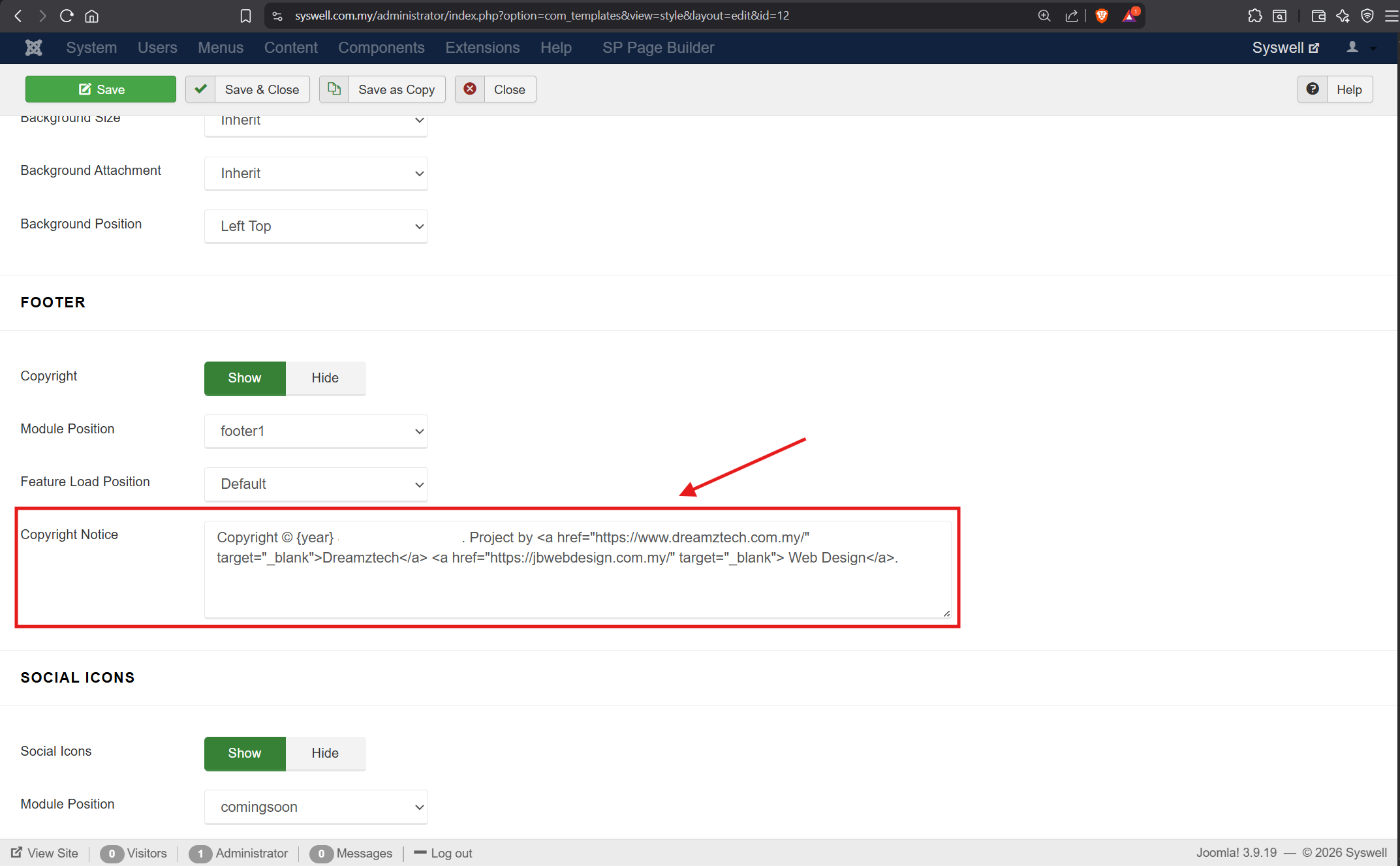
3. Scroll down to "Copyright Notice", update the company name and SSM, can copy from below, paste and edit it.
Copyright © {year} COMPANY NAME<small>(COMPANY ID)</smal>. Project by <a href="/https://www.dreamztech.com.my/" target="_blank">Dreamztech</a> <a href="/https://jbwebdesign.com.my/"> Web Design</a>.
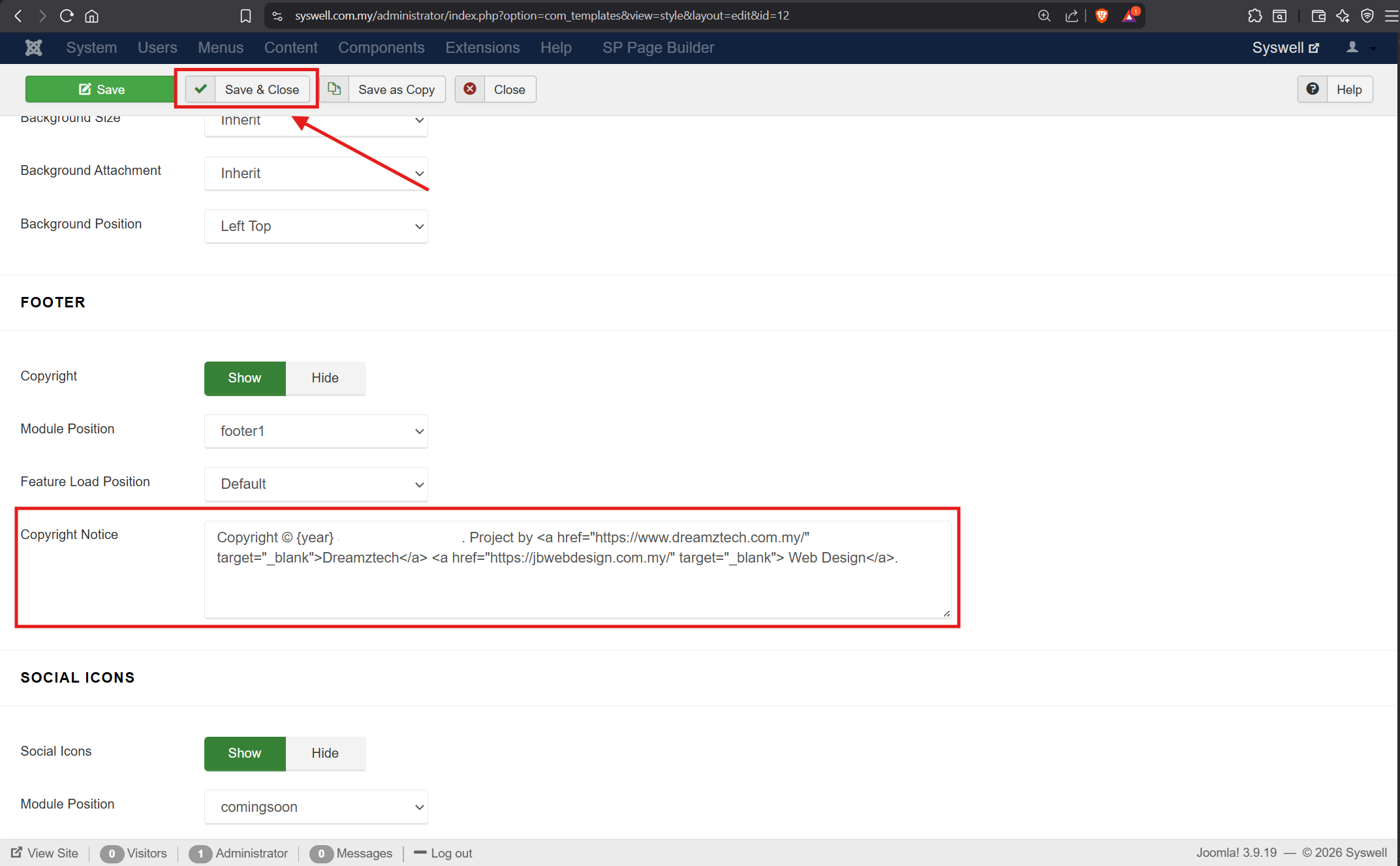
4. Save & Close
课程表
- Lesson 1 - How To Change Logo 时长: 00:01:55
- Lesson 2 - How To Change Slideshow 时长: 00:02:24
- Lesson 3 - How To Change Wording On Slideshow 时长: 00:01:50
- Lesson 4 - How To Change Feature Icon 时长: 00:02:16
- Lesson 5 - How To Change Background Image And Wording 时长: 00:02:43
- Lesson 6 - How To Disable Row 时长: 00:01:28
- Lesson 7 - How To Duplicate Row 时长: 00:01:27
- Lesson 8 - How To Change Button Link 时长: 00:02:03
- Lesson 9 - How To Change Live Chat Floating Button 时长: 00:02:11
- Lesson 10 - How To Change The Bottom 时长: 00:01:34
- Lesson 11 - How To Rename Menu Title And Change Menu Ordering 时长: 00:01:50
- Lesson 12 - How To Change/Add Form Notification Email 时长: 00:01:18
- Lesson 13 - How To Add New Album/Photo At SP Easy Image Gallery 时长:
- Lesson 14 - How To Connect Facebook Page 时长: 00:02:21
- Lesson 15 - How To Add New Image At DJ Image Slider 时长: 00:01:32
- Lesson 16 - How To Edit Call To Action 时长: 00:02:09
- Lesson 17 - How To Edit Simple Portfolio 时长: 00:01:43
- Lesson 18 - How To Add Unique Open Graph in SP Page Builder 时长:
- Lesson 19 - How To Change The Bottom Contact Info 时长:
- Lesson 20 - How To Update Contact Page Info 时长:
- Lesson 21 - How To Change Page Title Image 时长:
- Lesson 22 - How To Change The Breezing Form Option 时长:
- Lesson 23 - How To Add Google Tag / Meta Pixel Code (Joomla 4) 时长:
- Lesson 24 - How To Unblock IP (Brute Force Stop) 时长:
- Lesson 25 - How to apply or remove animations 时长:
- Lesson 26 - How to edit meta tags 时长:
- Lesson 27 - How To Edit Footer 时长: